Your menu and guest feedback, from one QR code.
Guests scan the code on their table to read your menu or leave an anonymous note in 20 seconds. You hear how every shift went, even when you’re not there.
Free while in early access · Try the live demo
From the printer to your first note.
Print a tent for each table
Your logo, your colour, a code per table. Print them on any printer, fold, and put them out.
Guests scan with their camera
No app, no account. They see your menu, or leave a note in about 20 seconds.
You hear it first
Every note comes to you privately, with the table and the time, so you hear about a bad shift before a review does.
See the menu, or tell us how it wasScan · anonymous, 20 seconds
La carte, ou votre avisScannez · anonyme, 20 secondes
Your menu, without a reprint.
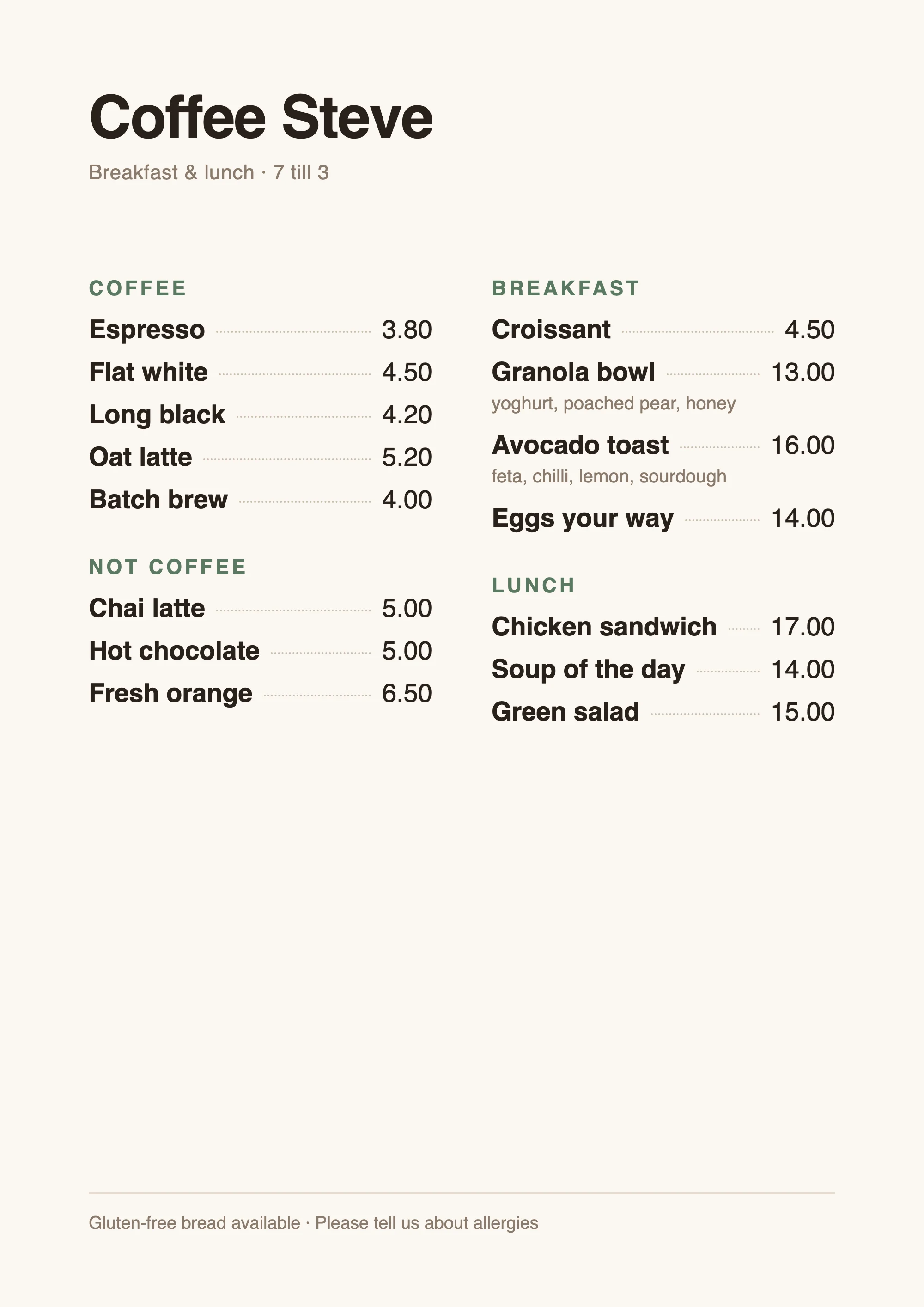
Take a photo of each page of your printed menu, or upload the PDF. Guests see it the moment they scan.
- Photos straight from your phone, or a PDF
- Change it whenever the specials do. The codes never change
- Your Wi-Fi password on the same page, one tap to copy
- Guest pages in English and French
Honest notes, not one-star reviews.
Guests tell you what they’d never say at the counter. A tap on a face, then a quick follow-up that matches how it went. Every step is optional.
- Anonymous: no names, no accounts, nothing tracked
- Ask them to rate the food, service, wait or value too, if you want the detail
- An unhappy guest who wants a reply can leave their number
- A happy guest is pointed to your Instagram or website
- Saved as they go, so even a half-finished note reaches your inbox
How was everything?
The next question
Sorry to hear that.What went wrong?
Know how it’s going when you’re not there.
You can’t be there for every shift, and your team won’t always pass on the bad bits. Every note reaches your phone with the table and the time, so you know how it went and can fix it for next time.
- An inbox on your phone: this week’s notes, average rating and what’s new
- A weekly average for each thing you ask about, so you see what’s slipping
- An email when notes come in, one for a busy lunch rather than twenty
- Add your manager, so they see every note too
- Filter by table or rating to spot the pattern
- Table 7Sat 12:40NewFood 🙂 Service 🙁 Wait 😞Waited 20 min for a croissant. 0412 555 018 if you want to chat
- Table 4Sat 9:15NewThe oat flat white is the best in town
- Table 11Fri 18:05Any chance of a vegan breakfast option?
Tips, from the same code.
Soon guests will be able to leave a tip for your team from the same code.
Try it as a guest.
Point your phone’s camera at the code to open Coffee Steve, table 4, as a guest would. Or open it here.
Free while in early access.
We’re opening Napkin to a small number of venues first, and everything is free while we do.
- Menu page from photos or a PDF
- Anonymous notes, by table
- Ratings for food, service and more
- Inbox and email alerts, for you and your manager
- Your Wi-Fi, website and socials for guests
- Printable QR tents for every table
- Your logo and colours
- English and French for guests
Questions owners ask.
Do my guests need an app?
No. They point their phone’s camera at the code on the table and the page opens. No app, no account, no sign-up.
Is it really anonymous?
Yes. Napkin doesn’t ask for a name or email and doesn’t store IP addresses or track guests. The only personal detail is a phone number, if a guest chooses to add one so you can reply.
Can my manager read the notes too?
Yes. Add them in Settings and they sign in with their own email. They get the same access you do: every note, the menu and the settings. Add their address to the alert emails and they’ll get those too.
Can I choose what guests are asked?
Yes. Every note starts with a face. You can also ask guests to rate parts of the visit, like the food, service, wait or value, and the inbox shows each one’s average for the week.
What does it cost?
Nothing while Napkin is in early access.
What do I need to get started?
Your menu (photos or a PDF), your logo if you have one, and a printer. We set up your venue, then you print the tents and put them out.
Which languages do guests see?
English and French. You choose which your venue offers, and guests switch between them with a tap. Their phone’s language is picked first.
Is it for restaurants and bars too?
Yes. Anywhere guests sit at a table: cafés, restaurants, bars, bakeries. You can print one code per table, or one for the whole place.
Put Napkin on your tables.
Tell us a little about your venue and we’ll get in touch to set it up with you.